Boost Your Minecraft Server’s Performance
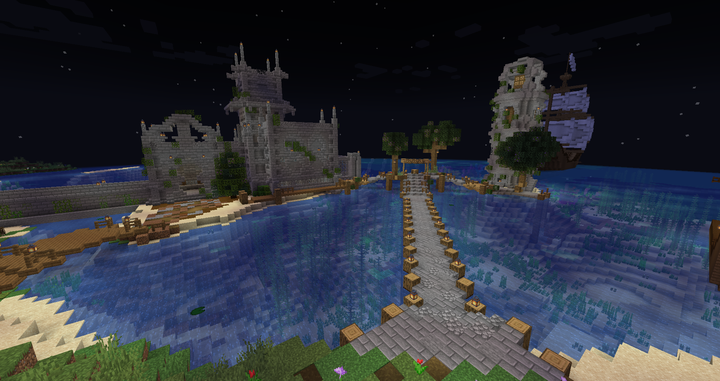
Boost Your Minecraft Server’s Performance with These Proven Hosting Tips
Running a Minecraft server requires a balance of technical know-how and optimization techniques to provide players with an exceptional gaming experience. If you’re looking to enhance your server’s performance, minimize lag, and create a seamless gameplay environment, you’ve come to the right place. In this article, we’ll explore a range of proven hosting tips that will help you supercharge your Minecraft server and leave your competitors in awe.
Optimize Your Server Hardware:
One of the first steps to improving your Minecraft server’s performance is to ensure you have adequate hardware. Consider these key factors:
a. CPU Power: Minecraft is a resource-intensive game, so investing in a powerful CPU is crucial. Look for CPUs with high clock speeds and multiple cores to handle the game’s demands efficiently.
b. RAM Allocation: Allocate sufficient RAM to your server, as Minecraft heavily relies on memory. More RAM allows for smoother gameplay and better overall performance.
c. Solid-State Drive (SSD): Upgrading to an SSD can significantly improve your server’s loading times, reducing lag and enhancing player experiences.
Choose the Right Server Location:
The location of your server plays a vital role in reducing latency and providing a seamless gaming experience. Consider hosting your Minecraft server in a data center that is geographically close to your target player base. This minimizes the distance the data has to travel, resulting in lower ping and faster response times.
Regularly Update Your Server Software:
Staying up to date with the latest server software versions and patches is essential. Game developers often release updates that improve performance, fix bugs, and enhance security. By regularly updating your server software, you ensure optimal performance and provide a more enjoyable experience for your players.
Utilize Server Optimization Plugins:
Take advantage of server optimization plugins to fine-tune your Minecraft server’s performance. These plugins, such as ClearLag or EntityCrammer, can help optimize entity management, clear excessive items, and reduce lag-causing factors.
Optimize Chunk Loading and View Distance:
Adjusting chunk loading and view distance settings can significantly impact server performance. Experiment with different values to find the optimal balance between rendering quality and server load. Lowering the view distance reduces the number of chunks loaded, thereby reducing strain on your server.
Regularly Back Up Your Server:
Don’t underestimate the importance of regular server backups. Backing up your server data protects you from unforeseen events such as hardware failures or accidental data loss. Invest in a reliable backup solution and schedule automatic backups to ensure the safety of your server’s data.
Conclusion:
By implementing these proven hosting tips, you’ll be well on your way to boosting your Minecraft server’s performance and delivering an exceptional gaming experience. Remember, continuous optimization, hardware upgrades, and staying up to date with the latest software are crucial to maintaining a competitive edge. Your players will appreciate the seamless gameplay, reduced lag, and immersive environment you provide, leading to increased player satisfaction and the growth of your Minecraft community.
Take the necessary steps today to optimize your Minecraft server, and witness the transformation in performance that will keep players coming back for more.
Enjoyed this article? Explore our high-performance UK Web Hosting plans.
View More Posts